
Everything you pay for,
handled in one place.
Quidkeep is your subscription co-pilot for the web. It finds what you're paying for, keeps the details accurate, and makes leaving as easy as joining.
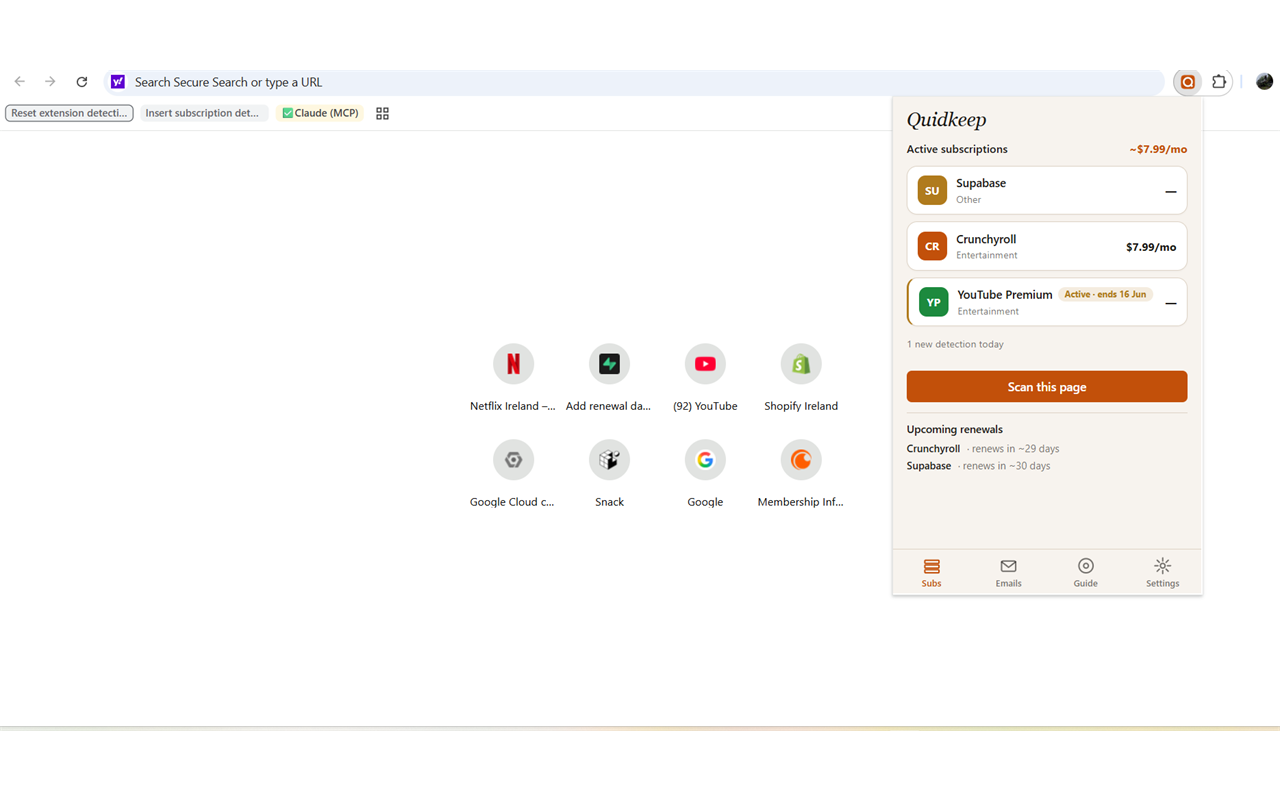
It finds your subscriptions for you
As you browse the services you pay for — Netflix, Spotify, Disney+, YouTube, Crunchyroll, Adobe and many more — Quidkeep recognises your subscription and adds it to your account so nothing slips through.
- Reads the real details. Price, billing cycle and next renewal date, straight from the page.
- 17+ services mapped today, and growing — with smart handling for ones it hasn't seen before.
- Receipt scan (optional). On Gmail/Outlook it can spot subscriptions from receipt emails — reading only the visible list, recording only the service name.
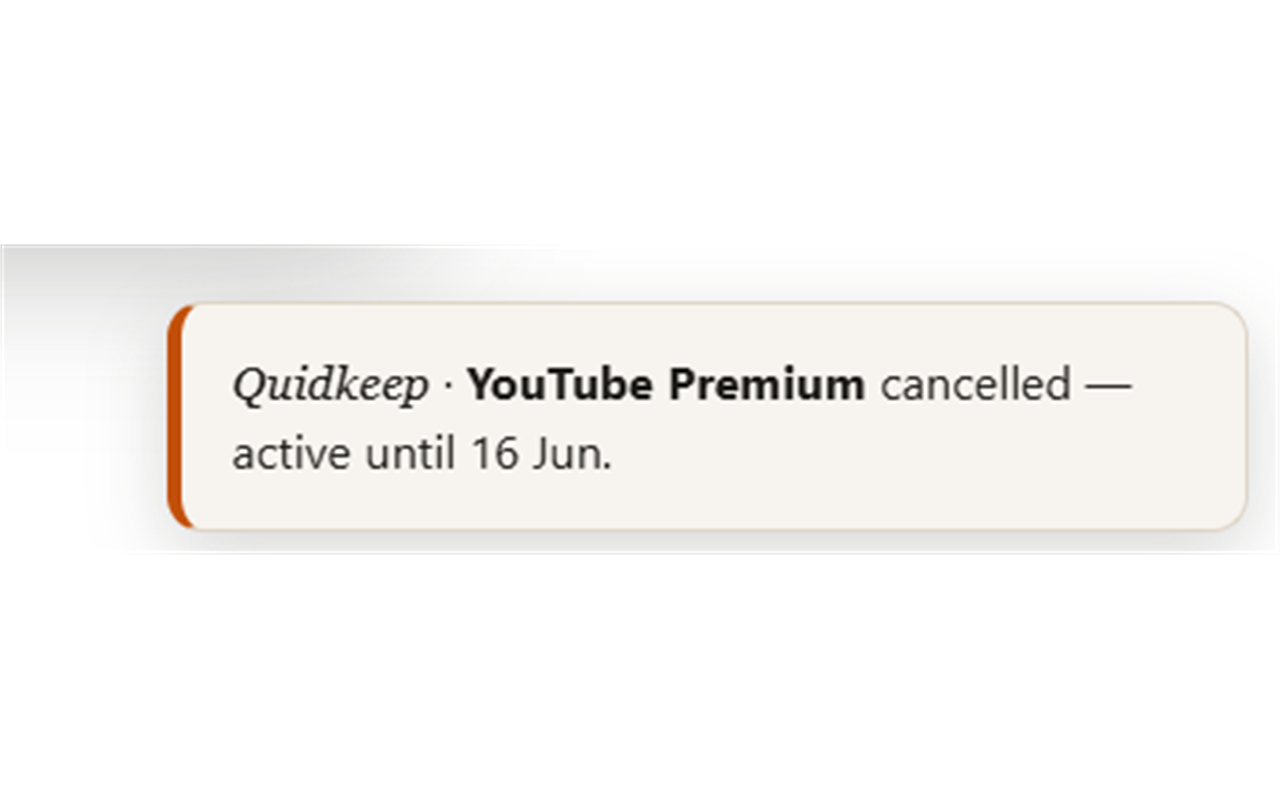
Know exactly when each one renews or ends
Get a heads-up before you're charged and before a free trial converts. Quidkeep even flags when something is cancelled but still active until its end date — so you can use what you've paid for, right up to the last day.
- Renewal & trial-ending alerts before the money leaves your account.
- "Active until" tracking so a cancellation never means losing time you paid for.
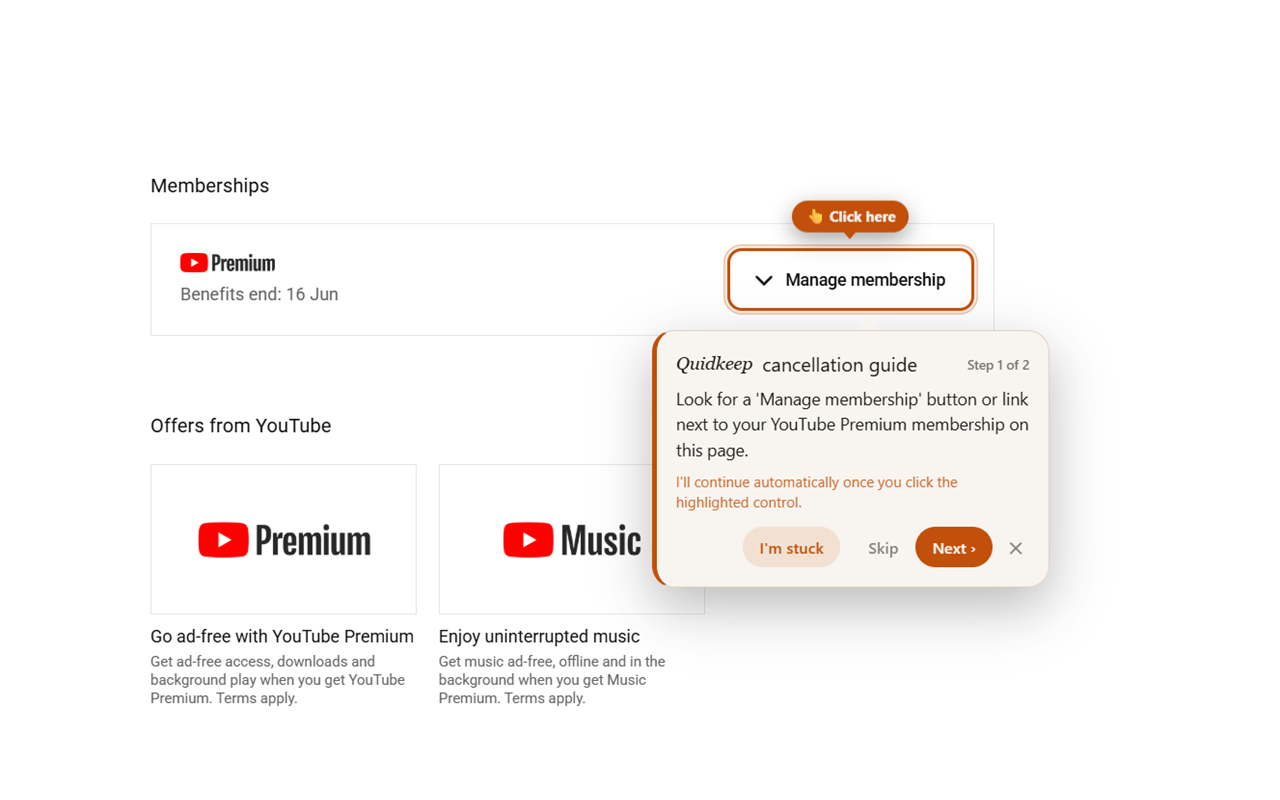
Step-by-step help to actually cancel
One click starts an animated walkthrough that points at the exact controls to cancel — wherever they're hidden. Stuck? Hit "I'm stuck" and Quidkeep helps you through it. It even works on services we haven't pre-mapped.
- Points at the real buttons — no more hunting through buried settings.
- Cancellation email writer drafts a personalised message for services that only cancel by email.
- No strings attached. We help you leave — there's nothing here trying to keep you subscribed.
Your subscriptions, thought through
Most trackers stop at a list. Quidkeep's AI Advisor actually reasons about your subscriptions — five tools, one tap each. Tap any to unfold it.
Rate how much you actually use something from 1 to 10, and the AI weighs it against what you're paying to give a straight verdict: Worth it, Borderline, or Cut it — plus one concrete next step.
Describe what's shifted in your life — a new job, a baby, a house move, a tighter month — and the AI audits your subscriptions against your current life stage, flagging the ones that quietly stopped making sense.
Quidkeep looks ahead and warns you when several renewals are about to land in the same week — so a heavy month never blindsides you, and you can space things out on purpose.
Sometimes you don't want to cancel — you want a better price. The AI writes you a tailored, word-for-word script for the retention line, based on your plan and how long you've been a customer.
Tell Quidkeep what you're trying to do and it suggests apps and services that fit — then lets you track the paid ones from day one, so a new subscription never becomes a forgotten one.
"Other apps find your subscriptions. Quidkeep thinks about them for you — scoring their real value, warning you before renewals cluster, coaching you to negotiate, and auditing for life changes."
Your data is used to help you — never sold.
Quidkeep reads the pages you visit only to find subscriptions. For billing-related pages it sends a relevant excerpt to its own secure server to identify the subscription and verify the price and renewal date. It does not send full pages, passwords, or payment-card details, it never sells your data, and AI keys live only on the server — never in the extension.
Get startedSee it on your own subscriptions
It takes about two minutes to add — and you'll probably find one you forgot about.